

Role of Computer-Aided Design (CAD) in Product Design & Development
Understand the role of CAD in product design and development, how it improves workflows, cuts prototyping costs, and helps teams build accurate, manufacturable products.
Understand the role of CAD in product design and development, how it improves workflows, cuts prototyping costs, and helps teams build accurate, manufacturable products.
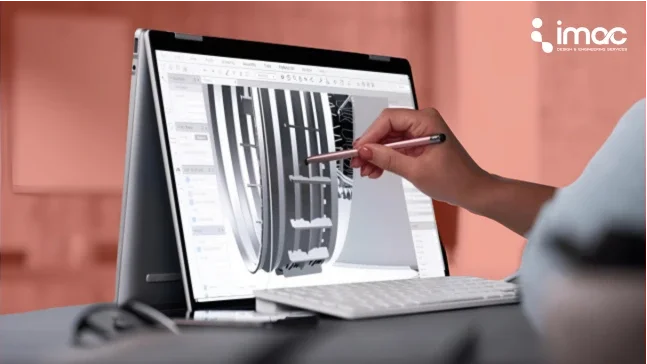
Understanding the role of CAD in product design is essential for anyone building physical products today.
From the moment a concept sketch is drawn to the point when parts go into production, computer-aided design (CAD) is the main source of accuracy, speed, and collaboration.
In this blog, we get inside how CAD shapes the product design & development lifecycle.
We will explain exactly what CAD is, show how it transforms workflows, explore the industries that depend on it, and highlight the advantages you’ll get when working with a design expert.
✓ CAD transforms design speed and accuracy, converting sketches into fully validated, production-ready 3D models with real-world precision.
✓ Virtual prototyping reduces cost and risk, replacing multiple physical iterations with digital simulations and performance testing inside CAD.
✓ Parametric design and version control preserve intent, allowing effortless updates, change tracking, and collaboration across global teams.
✓ Industries from aerospace to consumer tech rely on CAD for high-tolerance design, regulatory compliance, and complex system integration.
✓ Partnering with expert design firms like iMAC lets businesses outsource CAD design services confidently, achieving faster, smarter, and more manufacturable products!
Talking about the basics, it’s software used to create, modify, analyze, or optimize a design.
It lets you create precise 2D drawings and 3D models of products, parts, and components on your computer.
But to really appreciate CAD, you need to see how it evolved:
✓ In the 1960s and 1970s, engineers made the shift from manual drafting tables to digital drafting tools.
✓ In the 1980s and 1990s, solid modeling, parametric design, and early 3D CAD systems appeared.
✓ Over time, CAD became tightly coupled with analysis (CAE) and manufacturing (CAM). Now, modern CAD includes simulation, generative design, cloud collaboration, and links to digital twin ecosystems.
Traditional Drawing VS CAD :
When you sketch on paper, you're locked into that version. Change one dimension and you're starting over.
With CAD, you model once and modify endlessly. That bracket you designed? Rotate it 360 degrees. That housing assembly? Explode it into individual parts to check clearances. That circuit board layout? Simulate thermal performance under load.
The role of CAD in product design fundamentally reshapes how products move from concept to reality, touching every stage of development with measurable impact.
1. Conceptualization and Ideation
Product design begins with uncertainty. You have an idea, but you don't yet know if it's physically possible, manufacturable, or economically viable.
With CAD, you can easily convert those sketches(ideas) into digital forms quickly. You don’t commit to final shapes immediately…you explore variants, you do trial and error, and you test proportions in 3D.
2. Iteration & Variant Creation
Once a concept is in CAD, you can easily make changes: stretch a dimension, rotate a component, duplicate variants.
Parametric design means you can tie dimensions together so that even a single change can run through your design sensibly.
3. Virtual Prototyping and Testing
This is where CAD delivers its highest return on investment.
Virtual prototyping means building and testing your product entirely in software before manufacturing a single physical part.
Working inside CAD :
Finite Element Analysis (FEA) built into CAD platforms simulates stress, strain, and deformation under load. Designing a bracket that holds 50 pounds? Apply that force virtually and watch where stress concentrates. See red zones indicating potential failure? Strengthen those areas before manufacturing.
Remember - Every virtual test replaces a physical prototype cycle!
4. Design Validation & Checking
CAD helps you check tolerances, detect interference, and enforce manufacturability rules.
For instance, do the two parts collide when assembled? Are draft angles maintained for molding? Are fillets too small? These checks happen inside the CAD environment, not on the shop floor or in a physical manner.
5. Manufacturing Handoff
When you’re confident, CAD tells manufacturing exactly what to do. It outputs detailed drawings, component geometry, tolerance specs, and BOMs.
It hands off to CAM machines or suppliers with clear instructions.
6. Post-Prototype Feedback Loop
Once you build a prototype and test it, you get feedback.
Maybe a bracket needs stiffening, or a clearance needs adjustment. You go back into CAD, update, revalidate, and iterate. That loop is fast because your full design model is ready to evolve.
7. Versioning, Change Management & Control
In a serious product, one change can create issues.
CAD systems maintain histories, feature trees, and version branches. You can roll back or explore alternate paths.
Good CAD practices mean you don’t “break everything” when you edit one thing.
8. Integration with Systems (PLM, Digital Twin, Supply Chain)
CAD doesn’t work in isolation.
The model links to your product lifecycle system (PLM), your digital twin, your maintenance databases, and supplier files. Data flows in and out that means CAD is the core entity many systems refer to!
Outsourcing CAD design services leverages DFM tools throughout the design process. This is why partnering with a skilled design team often costs less, as they get it right the first time.
Understanding CAD's theoretical benefits is one thing. Seeing how it reshapes daily workflow is where the practical value becomes clear.
1. Design Changes Happen in Hours, Not Days
Change a dimension in traditional drafting and you're redrawing everything connected to it.
Change the same dimension in CAD, and the software updates your model, all drawing views, and your bill of materials automatically. That enclosure redesign would take a week? Done in three hours.
2. Teams Actually Work Together
CAD software lets your engineer in Detroit and your manufacturing partner in Taiwan work on the same model simultaneously.
Design reviews happen with everyone looking at the same 3D geometry, not trying to interpret 2D drawings differently.
3. Catch Mistakes Before They Cost Money
CAD's interference detection shows when parts collide before you build them.
Tolerance stack-up analysis determines whether your assembly will still function properly when manufacturing variations accumulate across multiple parts.
Design rule checking flags issues automatically sharp edges that fail safety testing, wall sections too thin for molding, and clearances that violate electrical codes.
4. Cut Prototype Costs Dramatically
Virtual testing in CAD eliminates prototypes built just to check if your calculations were right.
Stress simulation shows where parts will fail under load. Thermal analysis predicts cooling performance. Motion simulation validates that mechanisms move without binding.
5. Maintaining Design Intent and Knowledge
CAD models preserve why decisions were made, not just what the final dimensions are. Parametric constraints encode relationships between features.
Design history documents every change. When your original designer leaves, the next person can modify the design without breaking it.
This matters more as you grow. Your first product took three designers two years. Your tenth launches in six months because you're building on captured knowledge from previous projects!
Need expert CAD design support without the cost of hiring full-time staff?
1. Aerospace and Defense
Aerospace products operate at the edge of physical possibility maximum performance with minimum weight in extreme environments.
CAD is the only way to achieve the precision these applications demand.
2. Automotive Engineering
Modern vehicles contain over 30,000 parts, all designed to work together as an integrated system.
CAD makes this coordination possible by enabling simultaneous engineering across subsystems.
3. Medical Device Development
Medical devices face constraints that make CAD essential: biocompatibility requirements, sterilization survival, miniaturization demands, and regulatory scrutiny that makes aerospace look relaxed.
Every dimension is critical because your device might literally be the difference between life and death.
Medical device companies that outsource CAD design services typically seek partners with both CAD expertise and regulatory knowledge.
4. Consumer Electronics and Technology
Consumer electronics cram incredible functionality into impossibly small packages. Your smartphone contains cameras, batteries, processors, antennas, speakers, and displays all within a housing thinner than a pencil.
CAD is the only option to rely on for achieving this level of integration.
5. Industrial Equipment and Manufacturing
Industrial equipment pumps, valves, conveyors, and automation equipment must perform reliably in harsh conditions: extreme temperatures, corrosive chemicals, vibration, contamination, and continuous operation.
CAD enables the practical design these applications demand.
When industrial equipment companies hire a product design company, they're often seeking specialized analysis capabilities: vibration analysis for rotating equipment, fluid flow analysis for hydraulic systems, wear prediction for sliding contacts, or thermal analysis for high-temperature processes.
1. Precision and Accuracy That Exceed Human Capability
Manual drafting accuracy depends on the drafter's skill and the drawing's scale. Draw at 1:10 scale, and your line width represents 1-2mm of actual dimension, fine for construction but inadequate for mechanical parts where 0.1mm matters.
CAD operates with mathematical precision limited only by computer floating-point representation.
2. Flexibility to Iterate Without Starting Over
Every experienced product designer knows that your first design isn't your best design. You need to iterate: trying variations, refining proportions, optimizing performance.
Traditional drafting made iteration painful, so designers often settled for "good enough" rather than "optimal."
CAD inverts this dynamic. Iteration becomes easy, so designers iterate more, and products improve.
3. Reduced Dependence on Physical Prototypes
Physical prototypes serve important purposes: validating form and fit, testing user interaction, and verifying manufacturing processes.
But prototypes are expensive and time-consuming to produce.
CAD virtual prototyping eliminates prototypes built solely to check if your design calculations were correct.
4. Seamless Integration with Manufacturing
The gap between design and manufacturing has historically created conflict: designers create ideal parts that manufacturing claims are impossible or too expensive.
CAD bridges this gap by bringing manufacturing knowledge into the design phase.
5. Version Control & Branching
You can explore paths in parallel, revert safely, and maintain design history. This flexibility is often under-discussed but critical in complex product development.
6. Long Term Adaptability & Updates
Once a product ships, you might need to upgrade, redesign, or issue variants. Because your CAD model is clean, you can adapt future versions efficiently.
Computer-Aided Design (CAD) is crucial because it lets designers create, modify, analyze, and optimize a design before physical prototyping.
It reduces errors, saves time and cost, and allows for rapid iteration and visualization, making the design-to-manufacture process far more efficient.
2D CAD focuses on flat, two-dimensional geometric drafting, essentially replacing a traditional blueprint.
3D CAD allows users to create models with depth, volume, and complex surface geometry, providing a comprehensive, realistic digital representation of the final product.
Domain expertise in complex design challenges matters most.
At iMAC Design & Engineering, we have built our reputation on solving difficult design problems in products where geometry is complex, constraints are tight, and standard approaches don't work.
Expertise in complex design means knowing techniques beyond basic CAD modeling, such as advanced surfacing, topology optimization, multi-physics simulation, and design for extreme manufacturing processes.
Take our word - The products that define the next decade won't be designed on paper. So contact our team today!

 Download Brochure


